Multi-Function Photocopiers / Printers
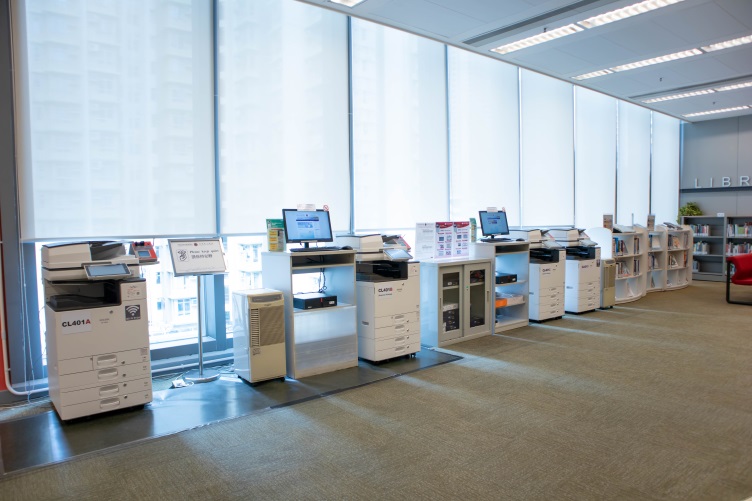
Five Octopus-operated multi-function photocopiers / printers (MFPs) are available in the Library, and three are located in the Learning Commons. Users are reminded that all photocopying and scanning activities must comply with copyright laws. Details of the MFPs and printing charges are provided below.
| MFPs | Location | Workstations No. |
|---|---|---|
| CL401A | The Library (Opposite the Service Counter) |
W1 – W20 |
| CL401B | The Library (Opposite the Service Counter) |
Express Printing |
| CL401C | The Library (Opposite the Service Counter) |
Express Printing |
| CL401D | The Library (Language Resource Centre) |
W1 – W20 |
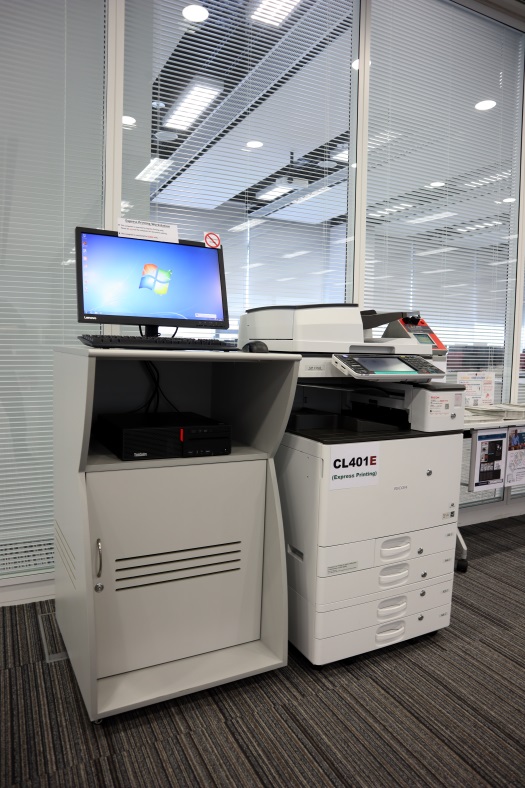
| CL401E | The Learning Commons (Outside e-lab) |
Express Printing |
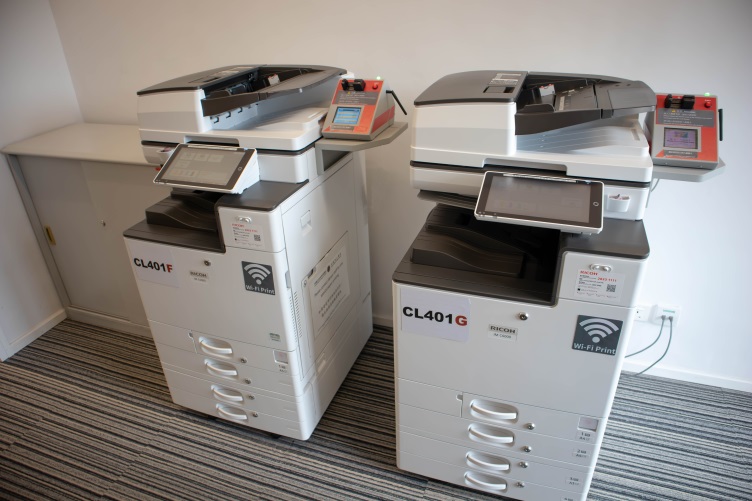
| CL401F | The Learning Commons Printing Room (A411-1) |
E1 – E40 |
| CL401G | The Learning Commons Printing Room (A411-1) |
E1 – E40 |
| CL401L | The Library (outside the entrance) |
Express Printing |
| CL401H | The Learning Commons (outside the entrance) |
Express Printing |
| Black / White | Colour | |
|---|---|---|
| A4 | HK$0.3 per page | HK$2.1 per page |
| A3 | HK$0.3 per page | HK$2.1 per page |
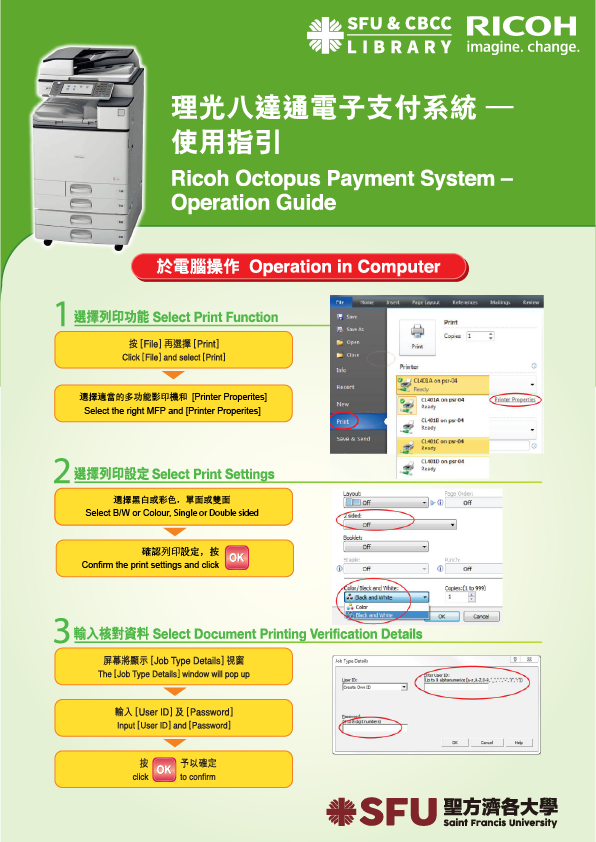
Scanning
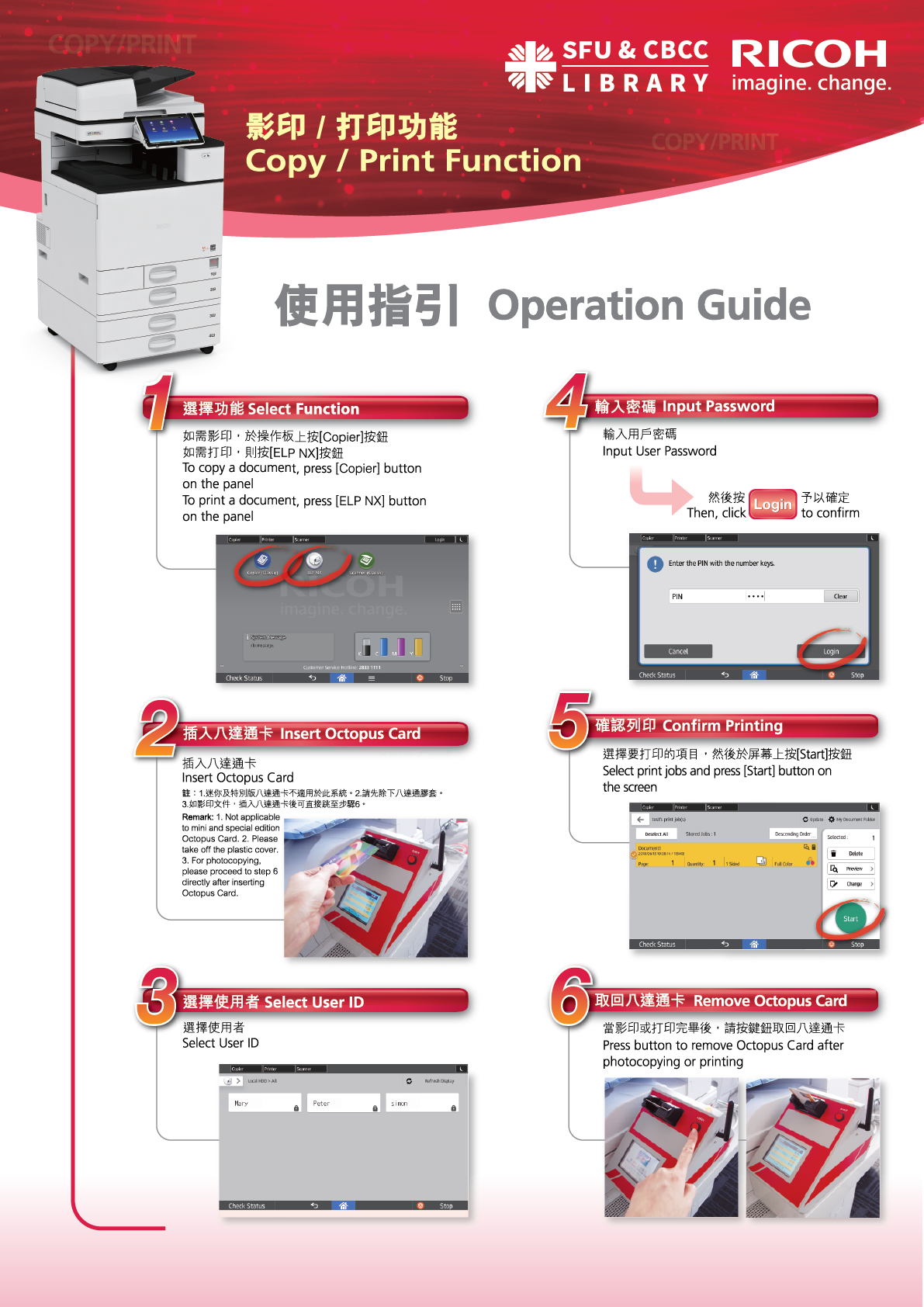
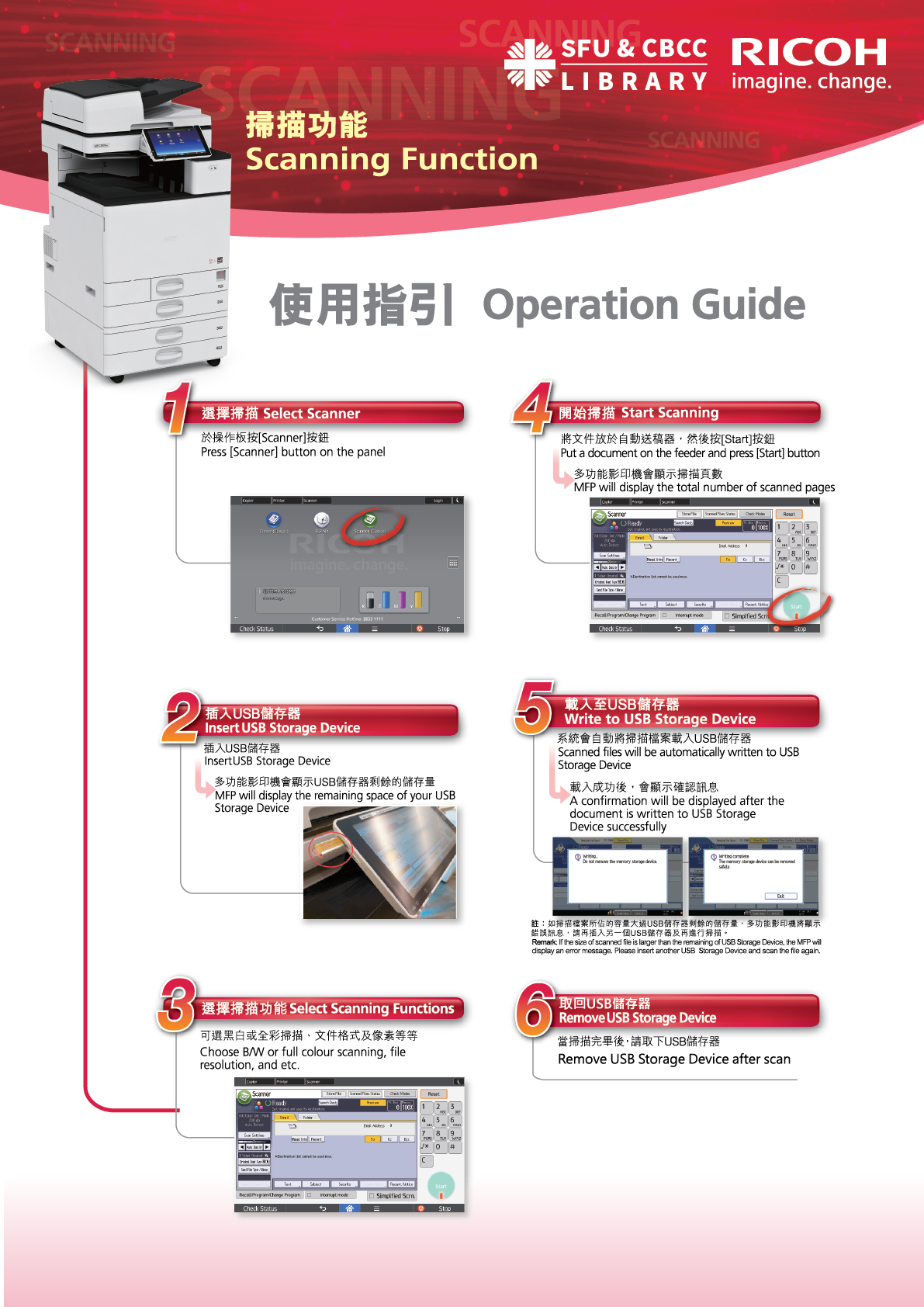
All photocopiers / printers (MFPs) are equipped with black/white and colour scanning functions. Users may scan files directly to their USB flash drives free of charge and refer to the following guides for scanning instructions.
Express Printing
Three computer terminals are designated for express printing: two located inside the Library and one situated outside the E-Learning Laboratory in the Learning Commons.
Users may also use the computer terminals outside the entrances of the Library and the Learning Commons to print, scan or photocopy documents after the Library has closed.